Top 10 Diigo Alternatives in 2026
Discover the best Diigo alternatives, including Raindrop.io, Wallabag, and others, tailored to enhance your bookmark organization and productivity.

Why You Need a Diigo Alternative
Diigo launched in 2006 and for years was the default choice for researchers, students, and knowledge workers who needed more than a simple bookmark manager. You could highlight passages on any webpage, stick virtual sticky notes in the margins, organize everything into tagged Lists, and share collaborative Groups with classmates or colleagues. At its peak, Diigo was the serious researcher's tool.
That was a decade ago.
Today, Diigo is in what users politely call "maintenance mode" — and what most people would call abandonware. The warning signs are impossible to ignore:
- The Chrome extension hasn't been meaningfully updated since 2024. Extensions in the same category ship updates monthly. Diigo's has gone dark.
- The website goes down for days at a time. Multiple outages over the past two years have left users unable to access their own data. On several occasions, the DNS records even expired before being renewed — a sign that nobody's minding the store.
- Exports fail silently. If you try to export your bookmarks, you'll often get a "processing" message that never completes. Users have been reporting this for months in scattered forums and Facebook groups. People have started writing their own scripts to scrape their data out of Diigo while they still can.
- Search by tags is broken. One of Diigo's core features — searching your library by tag — has been returning empty or incorrect results for a growing number of users.
- Highlights sometimes don't save. The main feature people came to Diigo for is glitching.
- Mobile apps haven't been updated in years. The iOS and Android apps feel frozen in time, and on modern OS versions they're increasingly unreliable.
- The free tier is punishingly limited. You get 100 highlights total — not per month, but for the entire lifetime of your account. Once you hit that cap, you're stuck.
In Facebook groups and Reddit threads, the same question keeps coming up: "Is Diigo shutting down? Does anyone know what's happening?" There's never an official answer, because there's nobody home to give one. The company still charges subscriptions, but there's no active development, no customer support response times worth speaking of, and no roadmap.
Here's the hard truth: Diigo is the next Pocket. When Pocket shut down in July 2025, millions of users lost their data because they waited too long to migrate. Don't make the same mistake. Export your Diigo library while you still can — and pick a new home for it before the servers go dark for good.
So what should you look for in a Diigo replacement? If you used Diigo seriously, you care about these features:
- Web highlights — Select text on any page, highlight it in colors, search across all your highlights later
- Annotations and sticky notes — Add your own thoughts directly on saved pages
- Tags and nested organization — Diigo's Lists were decent, but flat. Can your new tool do better?
- Shared collections — Diigo Groups for collaborative research
- Cached pages — So you don't lose content when the original goes down
- A reliable export — Because you're migrating because the export broke
- Active development — So you're not doing this migration again in two years
- A working mobile experience — Diigo's was broken; yours doesn't have to be
We tested each app on this list across multiple devices, evaluated their free tiers, tested import from Diigo's CSV format, and compared pricing, features, and long-term reliability. Here are the 10 best Diigo alternatives in 2026, ranked.
Best Diigo Alternatives at a Glance
| App | Best For | Pricing | Key Strength |
|---|---|---|---|
| Raindrop.io | Most Diigo users | Free / $3/mo Pro | Highlights + annotations + modern UI + actively developed |
| Wallabag | Privacy-focused users | €11/year hosted / Free self-hosted | Open-source, full data ownership |
| Karakeep | Self-hosting enthusiasts | Free self-hosted / $4/mo cloud | AI tagging with local LLMs |
| GoodLinks | Apple ecosystem | $9.99 one-time | No subscription, iCloud sync |
| Instapaper | Pure reading experience | Free / $5.99/mo | Clean reading, limited annotations |
| Readwise Reader | Power readers & researchers | $9.99-$12.99/mo | AI summaries, deep highlights |
| Matter | Design-focused Apple readers | Free / $8/mo | Beautiful UI, text-to-speech |
| Pinboard | Minimalists | $22/year | Fast, no-frills, reliable |
| Linkwarden | Teams & collaboration | Free self-hosted / $4/mo | Shared archives, team features |
| SaveForLater | Simple read-it-later | Free / $3/mo | Lightweight, AI bookmarks |
1. Raindrop.io — The Best Diigo Alternative for Most Users
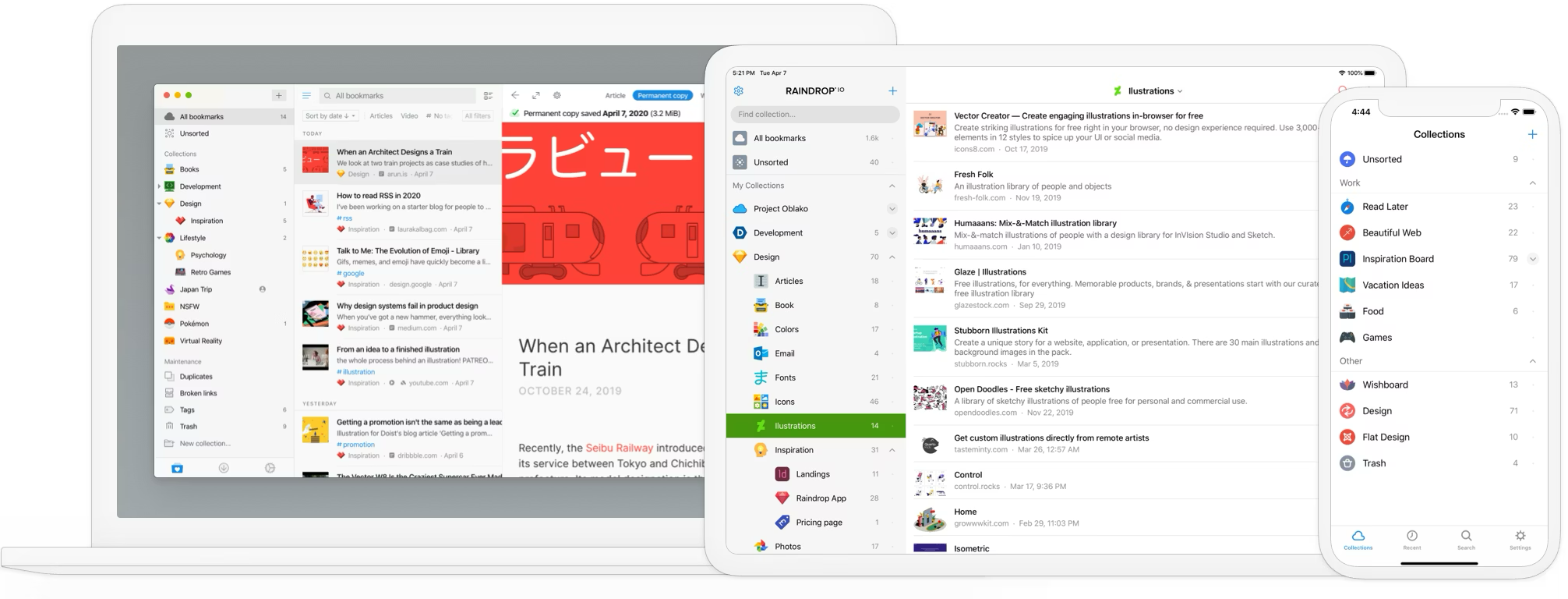
If you're looking for a single app that replaces everything Diigo did — and actually works in 2026 — Raindrop.io is the strongest option. It covers the full research workflow Diigo users are used to (highlights, annotations, tags, collaboration) in a modern, actively developed product that won't vanish on you next year.
Everything You Had in Diigo, Preserved
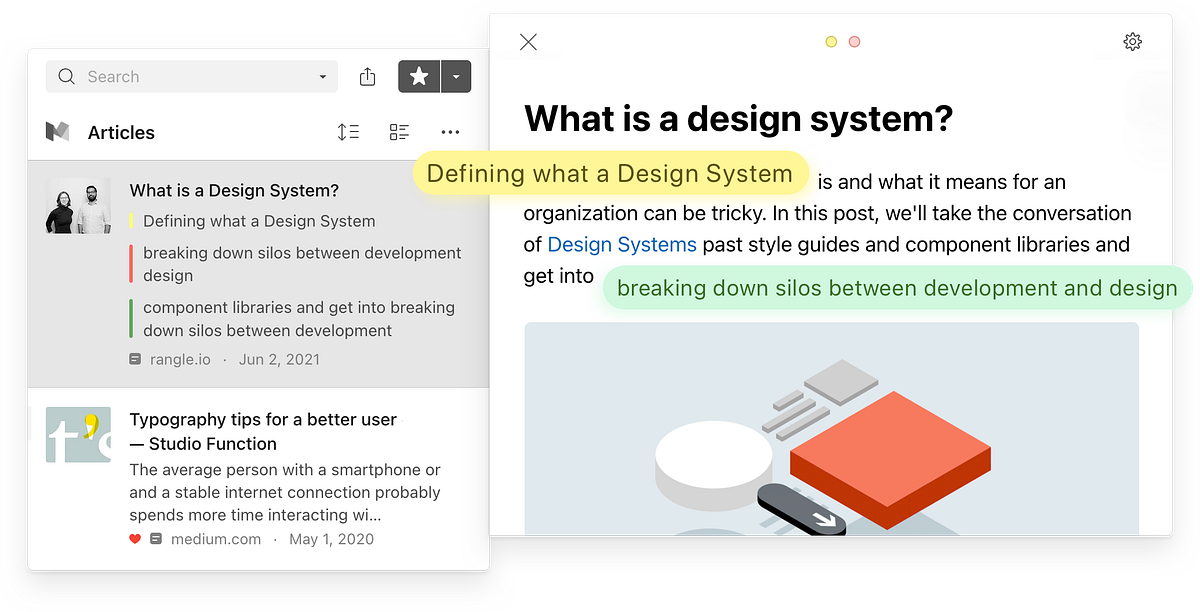
Web highlights — free and unlimited. This is the single biggest upgrade for Diigo users. Diigo's free plan caps you at 100 highlights for the lifetime of your account — most serious researchers blow through that in a single project. In Raindrop, highlights are completely free with no limits. Select any passage on a saved page, highlight it in different colors, and search across all your highlights later. On Pro, you can add annotations to each highlight — your own commentary attached directly to the passage you marked. If you relied on Diigo's highlighter, switching to Raindrop is a huge upgrade on day one.
Notes and annotations — the sticky notes workflow, rebuilt. Diigo's sticky notes let you leave your thoughts on a saved page. Raindrop covers the same workflow two ways. First, every bookmark has its own notes field — a freeform space for your commentary, summary, or context about the page. Second, every highlight can have an annotation attached to it, so your notes stay anchored to the exact passage they're about. Between bookmark-level notes and highlight-level annotations, you get better coverage than Diigo's sticky notes, with everything searchable and exportable.
Tags — preserved on import, and more powerful. All your Diigo tags carry over during import. Raindrop treats tags the same way you're used to: multi-tag any bookmark, filter by combinations, rename and merge tags in bulk. The difference is that tag search actually works — no silent failures, no empty result pages, no bug reports sitting unanswered for two years.
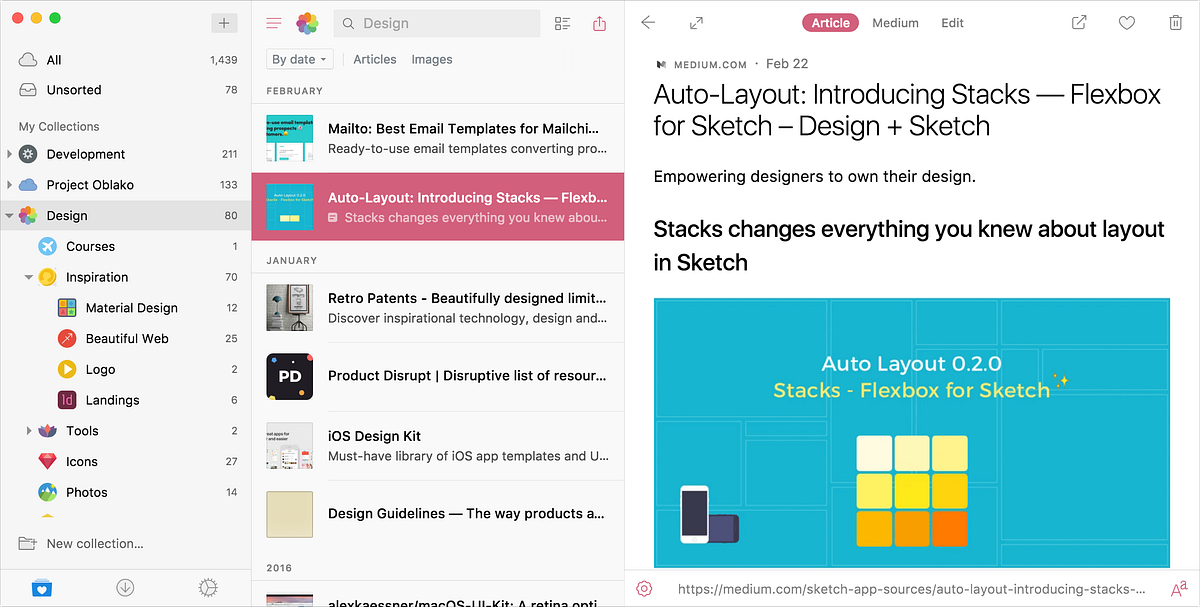
Lists — now called Collections, with a bonus. Diigo Lists were a flat grouping mechanism: you'd drop bookmarks into a named List and move on. Raindrop collections do the same thing, but you can nest them as deep as you want (e.g., Research → Climate Policy → EU Regulations → 2024 papers). You get the tag flexibility you're used to and a hierarchical structure for projects that need it. Most Diigo users hit this limit within their first year — Raindrop removes the ceiling.
Cached pages — now called web archive. Diigo's cached pages feature (a Premium perk) saved a snapshot of every page you bookmarked, so you still had access if the original went down. Raindrop has the same thing, built right in on Pro: a full copy of every saved page — text, images, formatting — with ads and trackers stripped out. Link rot is a serious problem for researchers; Raindrop handles it the same way Diigo tried to.
Groups — now called shared collections, and free. Diigo Groups were the collaboration feature for research teams, study groups, and classes. Raindrop's shared collections do the same thing: invite unlimited team members via link, everyone adds bookmarks, highlights, and notes to the same space. And unlike Diigo's Groups (which required a paid plan for most useful features), Raindrop's collaboration is completely free. If you used Diigo with classmates, coworkers, or a research group, you can move the entire team over without anyone paying a cent.
One Honest Caveat
No dedicated offline reading mode. Unlike a pure read-it-later app, Raindrop doesn't have an offline mode where you can download articles to a phone to read without internet. Your bookmarks and web archive copies are cloud-based. Most Diigo users won't miss this — Diigo didn't have real offline reading either — but if you specifically need to read on planes or in no-signal environments, it's worth knowing.
Where Raindrop Goes Beyond Diigo
A UI that belongs in 2026. This is the most immediately obvious difference. Diigo's interface looks like a website from 2010, and that's not a joke — the core UI hasn't been redesigned in a decade. Raindrop is modern, clean, and actually pleasant to use. Four view modes (visual cards with previews, compact list, headline view for fast scanning, and a Pinterest-style board) let you see your library the way that makes sense for what you're doing.
Full-text search that actually works. Diigo's search has been broken for months for a lot of users. Raindrop indexes the entire text of your saved pages, PDFs, and highlights. Six months from now, you can search for a phrase you vaguely remember reading and find the exact article — no guessing which tag you used, no empty result pages because the index is stale.
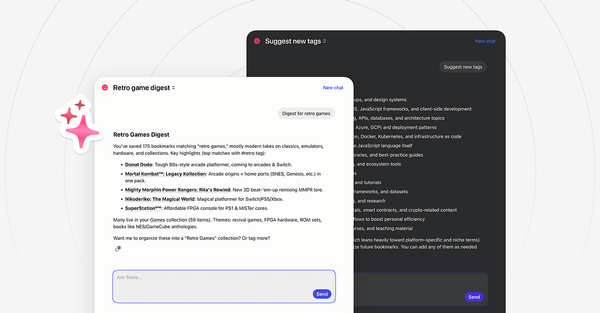
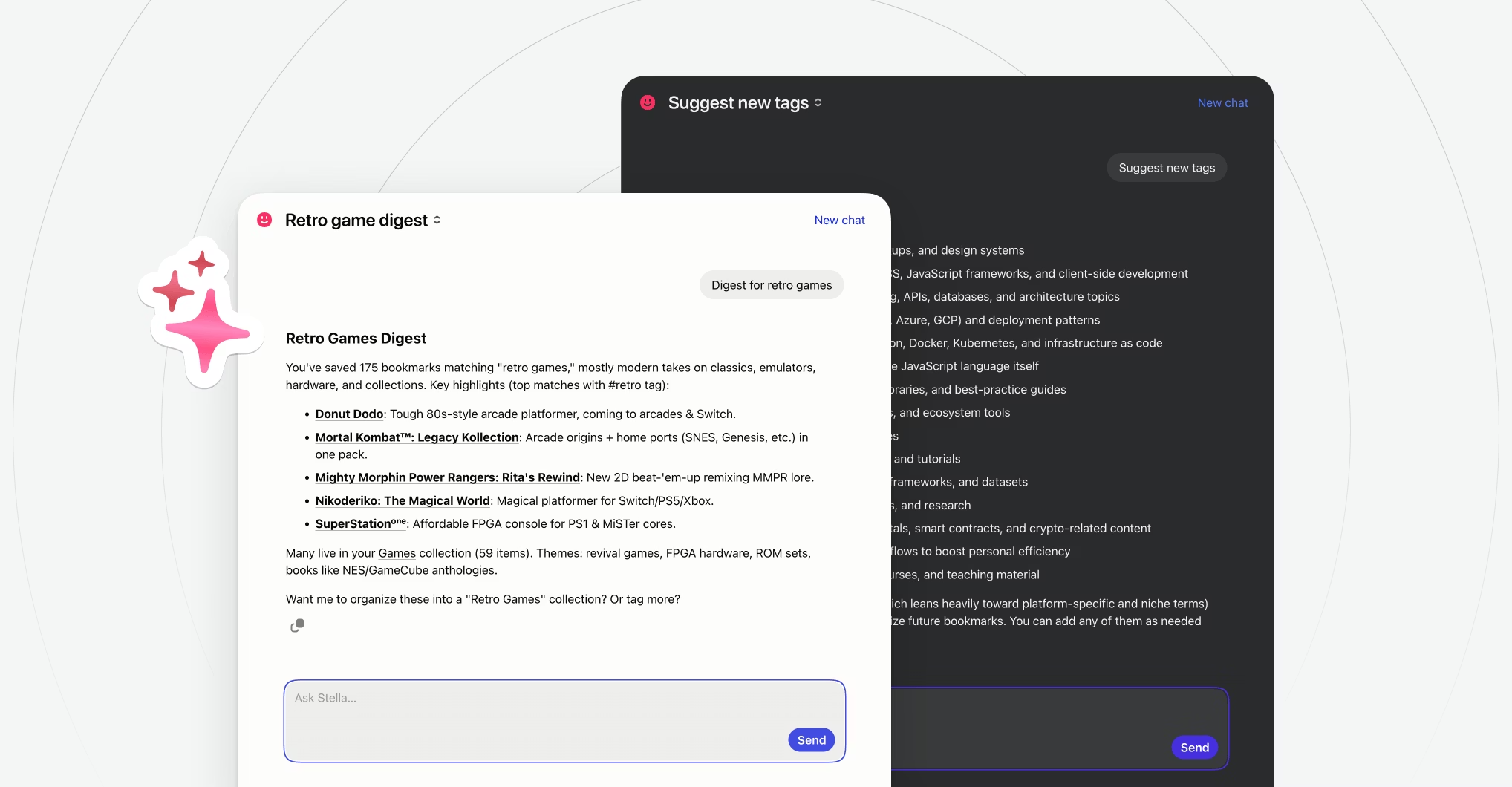
Stella AI — chat with your entire research library. Raindrop's built-in AI assistant (Stella, Pro, beta) lets you ask questions like "what did I save about EU climate policy?" or "summarize the three papers I highlighted about melatonin." Stella searches your library by meaning, not just keywords, and can summarize articles, compare sources, and surface bookmarks you'd forgotten. It runs on Raindrop's own infrastructure using an open-source model — your data is encrypted and never shared with third parties. This is the kind of feature that would take Diigo years to ship, if it ever did.
Mobile apps that actually work. Diigo's iOS and Android apps have been frozen for years and are increasingly unreliable on modern OS versions. Raindrop's native apps are fast, actively updated, and include all the features you need on the go: saving, highlighting, reading, and searching your library. Same for browser extensions — Chrome, Safari, Firefox, and Opera, all maintained and regularly updated.
You'll know when you've saved something. Small thing, big quality-of-life improvement: when you land on a page you've already saved, the Raindrop extension icon shows a green checkmark. You'll never accidentally bookmark the same article three times in a week again.
What You Won't Miss
A product that's still being built. Raindrop.io has been actively developed since 2013 — over a decade — by an independent team that ships real updates, not just security patches. Compare that to Diigo's Chrome extension, last updated in 2024. After what's happening with Diigo, this matters more than any individual feature.
Reliable data export. This is the painful one. Diigo exports are broken for many users right now — and that's precisely the moment you need an export most. Raindrop supports exports to HTML, CSV, and JSON anytime, with no opaque processing queues. Your data is yours, and it's always one click away.
Pricing
- Free: Unlimited bookmarks, collections, tags, unlimited highlights, collaboration
- Pro: $3/month ($2.30/month on annual plan + VAT) — adds full-text search, web archive, annotations, Stella AI, automatic backups, broken link & duplicate finder
How to Migrate from Diigo (While You Still Can)
- Export from Diigo as CSV — This is the most complete format for migration, preserving your tags and annotations. Log into Diigo → My Library → Tools → Export → choose CSV.
- If the export fails — You're not alone. Diigo's export has been unreliable for months. Try again a few hours later, try a different browser, or try during off-peak hours. If you still can't get a working export, email info@raindrop.io — the Raindrop team can help you migrate even when Diigo's tools are broken.
- Sign in to Raindrop.io → Settings → Import
- Upload the CSV — Raindrop processes everything in the background. Your tags and annotations carry over.
- Review and reorganize — Once imported, you can nest your old Lists into deeper collections, merge duplicate tags, and let Stella suggest categories for untagged bookmarks.
Important: Don't wait until the Diigo export stops working permanently. Export now, even if you're not ready to migrate yet. You can always import the file later, but if Diigo goes down for good, no export tool will save you.
Ratings
- G2: 4.1/5 · Capterra: 5.0/5 · Chrome Web Store: ~400,000 users
Who Should Choose Raindrop.io
Most former Diigo users. You get the same highlighting, annotation, tagging, and collaboration workflow you're used to — but in a modern, actively developed product with a working mobile app, a working search, and a working export. The only reason to look elsewhere is if you specifically need self-hosting (see Wallabag or Karakeep below) or Apple-only simplicity (see GoodLinks).
2. Wallabag — Best Open-Source Alternative
If Diigo's slow death taught you one thing — that your research data shouldn't depend on a company that's stopped caring — Wallabag is the answer. It's a fully open-source, self-hostable read-it-later app that puts you in complete control of your data.
What It Does Well
Wallabag extracts article content for distraction-free reading, supports automated tagging rules, and integrates with RSS readers like Miniflux and FreshRSS. It imports from Pocket, Instapaper, and Pinboard — and you can feed it Diigo CSV exports with a little conversion work. It even supports e-readers: you can send articles to your Kobo, Kindle, or PocketBook directly from Wallabag.
The hosted version at wallabag.it costs just €11/year, which includes automatic upgrades and daily backups. If you prefer self-hosting, you can run it on a $5/month VPS or even a Raspberry Pi using Docker Compose (deployment takes about 90 seconds with the provided configuration).
Wallabag is the kind of tool that makes you feel good about where your data lives. No corporation can kill it. No neglectful product team can let the export break for six months. Your research is stored on infrastructure you control.
Pros
- Fully open-source — inspect every line of code
- Incredibly affordable (€11/year hosted or free self-hosted)
- Direct import from Pocket, Instapaper, Pinboard
- E-reader support for Kobo, Kindle, and PocketBook
- Automation with tagging rules and filters
- Active community and solid documentation
Cons
- Focused on article reading, not web annotation — highlighting support is limited compared to Diigo
- Content extraction isn't always as clean as commercial alternatives
- UI feels utilitarian compared to polished apps like Raindrop or Matter
- Self-hosting requires some technical knowledge
- No real equivalent to Diigo's sticky notes on web pages
Pricing
- Hosted (wallabag.it): €11/year (14-day free trial)
- Self-hosted: Free (infrastructure costs only)
Who Should Choose Wallabag
Former Diigo users who want absolute control over their data and care more about article reading than web annotation. Also great for users with Kobo or Kindle e-readers who want native device integration.
3. Karakeep — Best for AI-Powered Self-Hosting
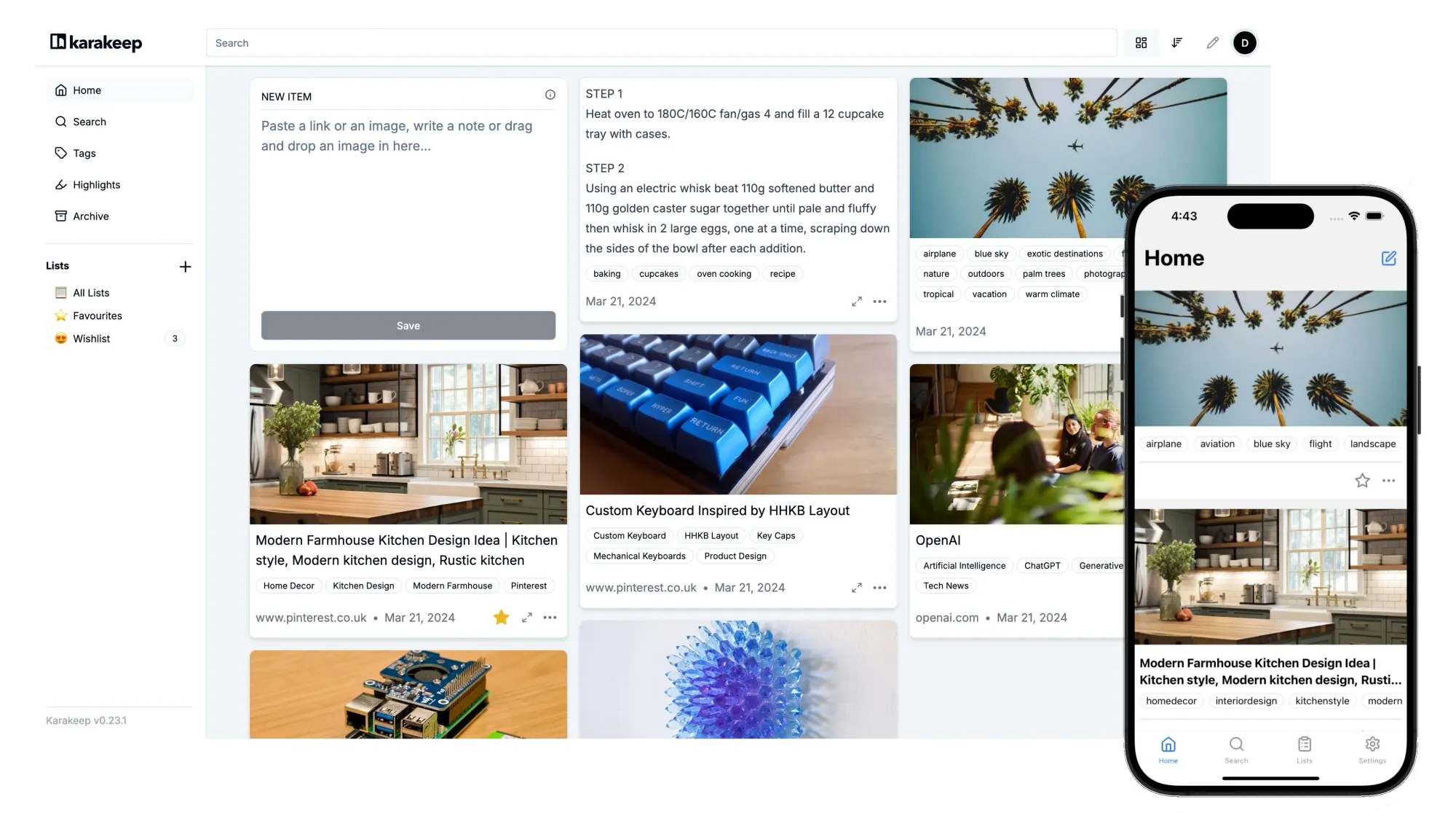
Formerly known as Hoarder, Karakeep is what happens when you combine the self-hosting philosophy of Wallabag with modern AI capabilities. It uses local LLMs (via Ollama) to automatically tag and summarize your saved content — and all the AI processing happens on your hardware, not in the cloud.
What It Does Well
Save links, notes, images, and PDFs. Karakeep automatically fetches metadata, generates thumbnails, and uses AI to suggest tags and summaries — all running on your own hardware through local models like Ollama. No data leaves your server. Full-text search indexes entire page content, and a built-in archival system protects against link rot by saving permanent copies of everything you bookmark — a direct parallel to Diigo's cached pages feature.
What makes Karakeep stand out is the AI-meets-privacy combination. Most AI-powered tools send your data to external APIs. Karakeep processes everything locally, which means your research stays completely private while still getting the benefits of automatic categorization.
Pros
- Open-source and free to self-host
- AI-powered auto-tagging using local models (Ollama)
- Full-text search across all saved content
- Link archival protects against dead links
- Cross-platform: iOS, Android, Chrome, Firefox
- Runs on modest hardware (Raspberry Pi capable)
- Cloud option available at $4/month
Cons
- Self-hosting requires technical setup
- Highlights-only annotation model — no passage-level notes comparable to Diigo's sticky notes
- Social media content handling can be inconsistent (Instagram, Imgur)
- Less polished UI than commercial alternatives
- Limited documentation compared to established tools
Pricing
- Self-hosted: Free
- Managed hosting (PikaPods): ~$2.90/month
- Cloud (cloud.karakeep.app): $4/month (50,000 bookmarks, 50 GB storage)
Who Should Choose Karakeep
Developers and tech-savvy Diigo users who want self-hosted bookmark management with AI features and don't mind getting their hands dirty with Docker. Especially valuable if you already run a home server and want to keep your research data private.
4. GoodLinks — Best for Apple Users
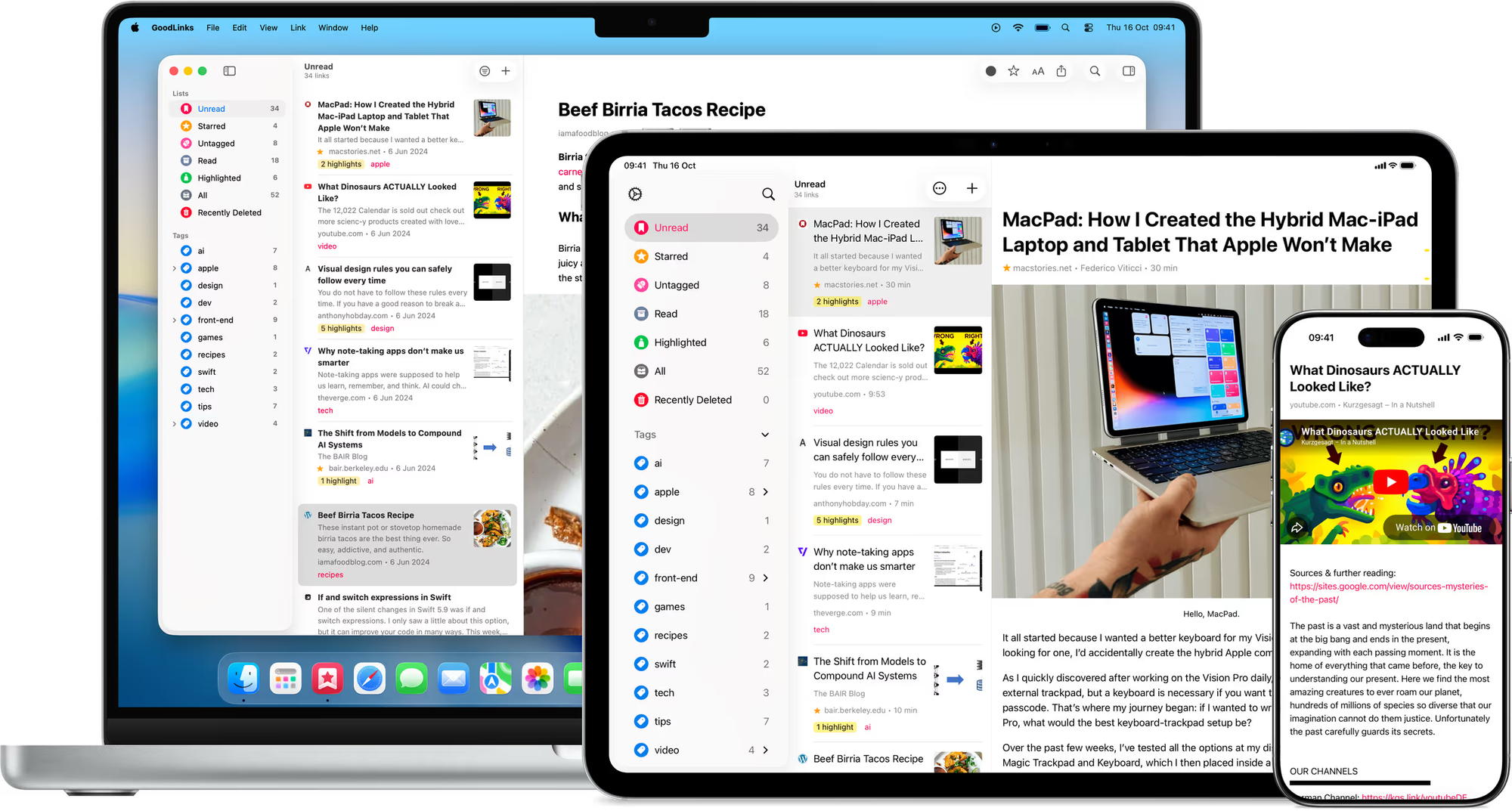
If you live entirely in the Apple ecosystem and want the simplest possible Diigo replacement, GoodLinks is it. One purchase, no subscription, no account needed — your data syncs privately through iCloud.
What It Does Well
GoodLinks strips articles down to clean, readable text with a distraction-free reading mode. Tags, stars, and a solid search make it easy to find saved content later. Deep Shortcuts integration means you can automate saving from almost anywhere in iOS and macOS.
Pros
- One-time $9.99 purchase — no subscription ever
- Deep Apple ecosystem integration (iCloud sync, Shortcuts, Siri)
- Privacy-first — no accounts, no tracking
- Clean, fast, lightweight
- 4.7/5 on the App Store (607 reviews)
- Works on Apple Vision Pro
Cons
- Apple-only — no Android, Windows, or web app
- No web highlighting or sticky notes (the core Diigo workflow isn't covered)
- Limited organization (no nested collections)
- No Chrome extension
- No AI features, no collaboration
Pricing
- $9.99 one-time purchase (universal app: iPhone, iPad, Mac, Vision Pro)
Who Should Choose GoodLinks
Apple-only users who used Diigo mostly as a bookmark manager and cared less about the highlights/sticky notes workflow. Perfect if you hate subscriptions and don't need cross-platform or team features.
5. Instapaper — The Legacy Read-It-Later App
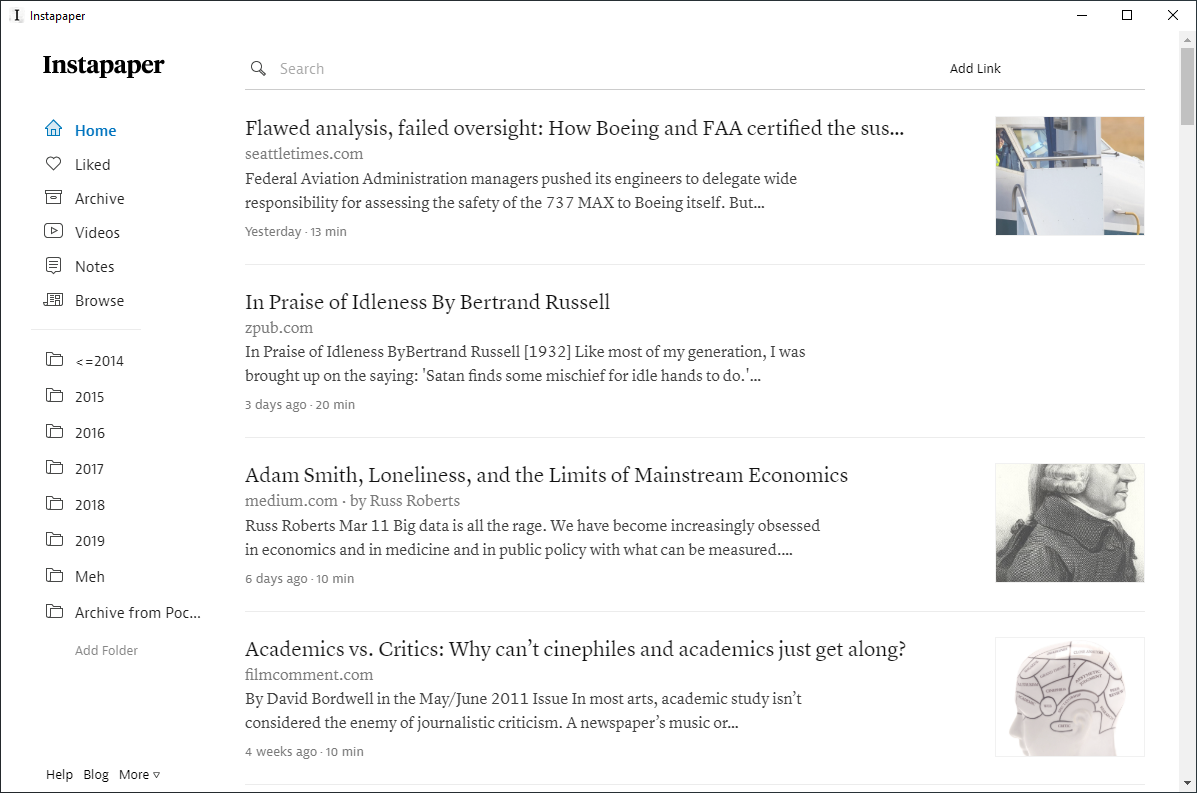
Instapaper has been around since 2008 and is one of the most established pure read-it-later apps still standing. If you used Diigo mostly to save articles and read them later, Instapaper covers that use case well. If you used the highlighting, sticky notes, and Groups features, it's a bigger step down.
What It Does Well
Instapaper's text parser remains one of the best in the business. It strips articles down to pure, clean text with beautiful typography — if all you want is a distraction-free reading experience, Instapaper delivers. Kindle integration lets you send articles directly to your e-reader, and text-to-speech with AI-generated voices makes it useful for listening on the go.
But there's a catch: Instapaper is only a read-it-later app. It doesn't handle web annotations the way Diigo did, doesn't do real collaboration, and its organizational tools are limited to basic folders and tags. Highlights on the free tier are capped at 5 per month — even stricter than Diigo's lifetime cap if you're an active researcher.
Pros
- Excellent article parser and clean reading experience
- Kindle and Kobo e-reader integration
- Cross-platform (iOS, Android, macOS, web)
- AI Voices text-to-speech (March 2026)
- Permanent Archive (Premium) preserves articles
- Established, mature service with a long track record
Cons
- Price doubled in January 2024: now $5.99/month (was $2.99)
- Free tier limits: only 5 highlights and 5 notes per month
- No full-text search on free tier
- No real web annotation workflow — not a Diigo replacement for researchers
- No nested folders, tags-only organization
- Slow development pace — feels dated compared to newer apps
- No real collaboration features
- Purely a read-it-later app — not a bookmark manager
Pricing
- Free: Unlimited saves, basic reading, 5 highlights/month, 5 notes/month
- Premium: $5.99/month or $59.99/year — full-text search, unlimited highlights, permanent archive, PDF reader, AI Voices
Ratings & Reviews
- G2: 4.4/5 (limited reviews)
- App Store: Strong ratings
- Google Play: 4.58/5 all-time (recent: 3.0)
Who Should Choose Instapaper
Former Diigo users who used it mostly for reading saved articles and didn't rely on highlighting, annotations, or Groups. Best if you care about reading quality more than research workflow. Be aware of the price — at $5.99/month it's nearly double what Raindrop Pro costs, for a narrower feature set.
6. Readwise Reader — For Power Readers and Researchers
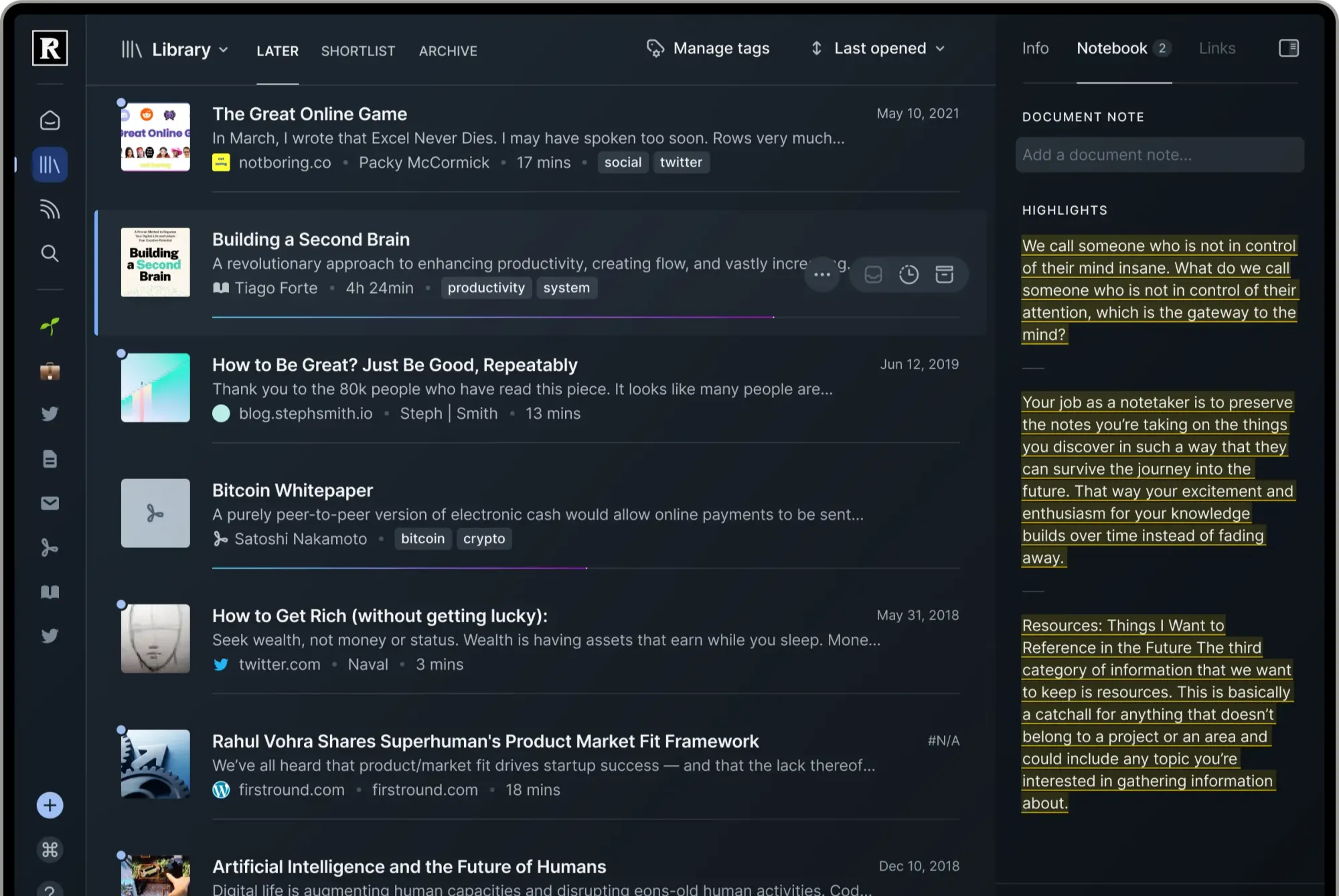
Readwise Reader is the most feature-rich read-it-later app on the market. If you were a power Diigo user who constantly highlighted and annotated, Reader has some of the deepest highlight tooling available — but that power comes at a price, literally, and with a steep learning curve.
What It Does Well
Reader tries to be the one app for all your reading: articles, PDFs, ebooks, RSS feeds, email newsletters, YouTube transcripts, and Twitter threads in a single interface. Its AI assistant (Ghostreader) can summarize documents, explain terms, translate passages, and answer questions about what you're reading. Every highlight syncs to Readwise for spaced repetition review, and from there you can export to Obsidian, Notion, or other knowledge tools.
It's genuinely impressive for the "I highlight 50 passages a day" crowd. But for the average Diigo user who saved a few bookmarks a week and occasionally left a sticky note? Reader is like using a Formula 1 car to drive to the grocery store — and at $10-13/month, it's one of the most expensive options on this list.
Pros
- All-in-one reading hub: articles, PDFs, ebooks, RSS, newsletters, YouTube
- Deep highlighting and annotation tools
- AI-powered summaries, definitions, and translations (Ghostreader)
- Excellent integration with Obsidian, Notion, and other knowledge tools
- Spaced repetition via Readwise for long-term retention
- Cross-platform: iOS, Android, macOS, Windows, web, browser extensions
Cons
- Expensive: $9.99-$12.99/month (no free tier after 30-day trial)
- Steep learning curve — overwhelming for simple bookmark needs
- Requires an active highlighting habit to get full value
- No real collaboration features (single-user focus)
- PDF handling can be inconsistent with scanned documents
- Overkill if you just want to save links and organize them
Pricing
- 30-day free trial
- $12.99/month (monthly) or $9.99/month (annual)
- Readwise + Reader bundle: $13.99/month
Ratings & Reviews
- App Store (JustUseApp): 4.05/5 (430 ratings)
Who Should Choose Readwise Reader
Serious researchers and knowledge workers who read dozens of articles a week and want a complete highlighting and note-taking system — and are willing to pay for it. If you used Diigo's highlighter constantly and wished it were better, Reader might be worth the premium. For most former Diigo users, though, Raindrop does what you need at a fraction of the price.
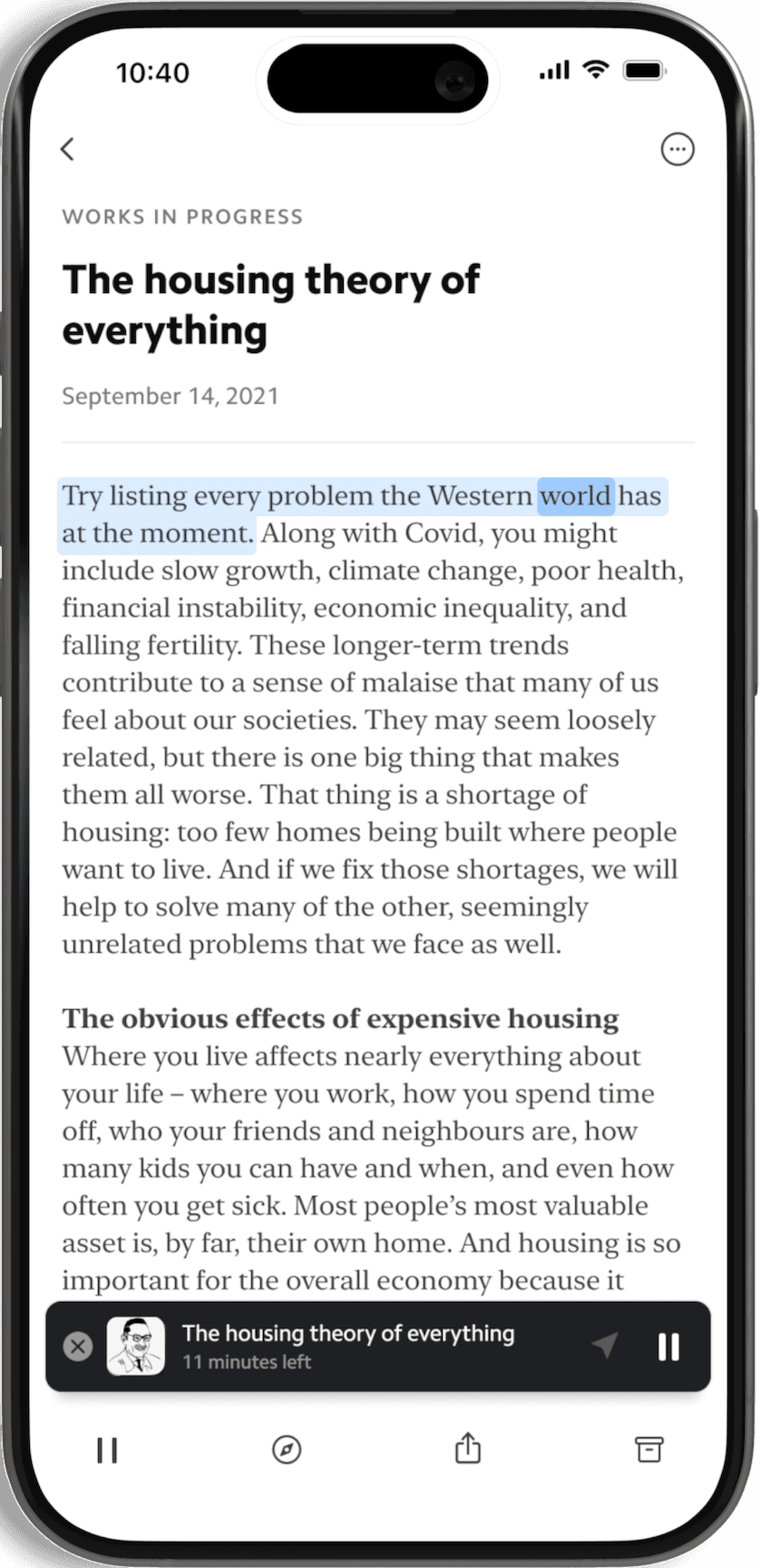
7. Matter — Best for Design-Conscious Apple Users
Matter is a relatively new read-it-later app that's earned three Apple "App of the Day" awards. It's built for readers who care as much about how their app looks as how it works.
What It Does Well
Matter parses articles with best-in-class readability, consolidates newsletters and RSS subscriptions in a unified inbox, and offers natural-sounding text-to-speech for hands-free reading. AI-powered summaries let you decide whether an article is worth reading before committing time to it. Highlights are supported and can be exported to Notion, Obsidian, or Readwise.
Pros
- Beautiful, minimalist design
- Unified inbox for articles, newsletters, and RSS
- High-quality text-to-speech
- AI-powered summaries
- Solid highlight export (Notion, Obsidian, Readwise)
- Three-time Apple "App of the Day"
Cons
- Apple-only — no Android or Windows app
- $8/month or $60/year for Premium
- Occasional delays when saving articles
- No collaboration features
- Some users report login issues and UI bugs
- Limited platform reach restricts its audience
Pricing
- Free: Unlimited read-it-later with basic features
- Premium: $8/month or $60/year — HD text-to-speech, full-text search, highlights export, newsletter inbox
Ratings & Reviews
- App Store: 4.6/5 (1,171 reviews)
Who Should Choose Matter
Apple-only users who value beautiful design, quality text-to-speech, and newsletter management. If you're deep in the Apple ecosystem and want a premium reading experience with some highlight support, Matter delivers — but its lack of Android and Windows support limits its appeal.
8. Pinboard — For Minimalists Who Just Want It to Work
Pinboard is the anti-Diigo in the best possible way: no broken features, no abandoned extensions, no disappearing company. It's a fast, tag-centric bookmark service built for people who want their links stored, searchable, and available forever. It's been running since 2009 with zero corporate drama.
Pros
- Extremely fast and reliable — no bloat
- Tag-based organization that scales well
- One-person operation — won't get acquired and killed
- Simple API for custom integrations
- $22/year is straightforward, predictable pricing
- Archival option preserves pages at your request
Cons
- Deliberately minimal UI — looks like it's from 2009 (because it is)
- No web highlighting, annotations, or sticky notes (none of Diigo's research features)
- No mobile app — web only (plus bookmarklet)
- No real collaboration
- No read-it-later mode or article extraction
Pricing
- $22/year (flat rate, all features included)
Who Should Choose Pinboard
Former Diigo users who only used it as a bookmark manager — never touched highlights or sticky notes — and want a fast, reliable, no-nonsense tool that will still be around in 2036.
9. Linkwarden — Best for Teams and Collaboration
Linkwarden is an open-source collaborative bookmark manager designed for teams that need to organize and share link collections together. If you used Diigo Groups for research teams, study groups, or class projects, Linkwarden is worth a look.
Pros
- Built-in team collaboration with shared workspaces
- Open-source and self-hostable
- Automatic page archival
- Screenshot capture of saved pages
- Good tag and collection organization
- Active development
Cons
- UI still maturing
- Self-hosting is the primary experience
- Cloud plan costs $4/month per user
- Smaller community than more established tools
- Less polished mobile experience
- No native web highlighting workflow comparable to Diigo
Pricing
- Self-hosted: Free
- Cloud: $4/month per user
Who Should Choose Linkwarden
Teams that used Diigo Groups for shared research and want a dedicated team bookmark manager — research teams, content teams, or any group that needs shared archives with archival and screenshots built in.
10. SaveForLater — The Lightweight Alternative
SaveForLater is a newer entrant focused on simplicity. It's an AI-powered bookmark manager that strips away complexity — save links, read them later, and let the AI handle organization.
Pros
- Clean, simple interface
- AI-powered categorization
- Free tier available
- Quick, lightweight experience
- Good for users who just want a basic Diigo replacement
Cons
- Newer service with a smaller user base
- No highlighting or annotation workflow
- Limited advanced features compared to established tools
- Less proven track record
Pricing
- Free tier with basic features
- Pro: ~$3/month
Who Should Choose SaveForLater
Users who want the simplest possible Diigo replacement and only used Diigo for saving links, not for the full highlight-and-annotate research workflow.
Feature Comparison: Diigo Alternatives Side by Side
| Feature | Raindrop.io | Instapaper | Readwise Reader | Wallabag | GoodLinks | Matter | Karakeep |
|---|---|---|---|---|---|---|---|
| Free tier | Unlimited | Unlimited saves | 30-day trial only | €11/yr hosted | $9.99 one-time | Yes | Free (self-hosted) |
| Web highlights | Free, unlimited | Premium (5/mo free) | Yes | Limited | No | Yes | Highlights only |
| Annotations / sticky notes | Bookmark notes + highlight annotations | Premium (5/mo free) | Yes | No | No | No | No |
| Full-text search | Pro | Premium only | Yes | Yes | Basic | Premium | Yes |
| Tags & nested collections | Yes (nested) | Tags only | Folders | Tags | Tags | Tags | Tags |
| Shared / group collections | Free (unlimited members) | No | No | No | No | No | No |
| AI features | Stella AI chat, auto-tagging | AI Voices (TTS) | Ghostreader (summaries, Q&A) | No | No | Summaries | Local LLM tagging |
| Web archive / cached pages | Pro | Premium | Yes | Yes | Yes | No | Yes |
| Android app | Yes | Yes | Yes | Yes | No | No | Yes |
| iOS app | Yes | Yes | Yes | Yes | Yes | Yes | Yes |
| Browser extensions | Chrome, Safari, Firefox, Opera | Yes | Chrome, Firefox, Safari | Chrome, Firefox | Safari only | Yes | Chrome, Firefox |
| Import from Diigo (CSV) | Yes | Limited | Limited | Via conversion | No | No | Limited |
| Self-hostable | No | No | No | Yes | No | No | Yes |
| Actively developed in 2026 | Yes | Yes | Yes | Yes | Yes | Yes | Yes |
| Price (Pro/Paid) | $3/mo | $5.99/mo | $9.99-12.99/mo | €11/yr | $9.99 once | $8/mo | $4/mo |
Diigo Alternatives for Specific Needs
Best Free Option
Raindrop.io — Unlimited bookmarks, collections, tags, unlimited highlights, and free collaboration. Compared to Diigo's 100-highlight lifetime cap, this alone is transformative for anyone doing real research.
Best for Self-Hosting
Wallabag for a proven, stable solution or Karakeep for AI-powered tagging with local models. Both open-source with full data ownership — no repeat of the Diigo situation.
Best for Researchers Who Highlight Heavily
Raindrop.io for most people (free unlimited highlights with annotations on Pro) or Readwise Reader if you want the most feature-rich highlight workflow and are willing to pay $10-13/month.
Best for Apple-Only Users
GoodLinks ($9.99 one-time) for simplicity or Matter (subscription) for AI features and text-to-speech.
Best for Team Research
Raindrop.io (free collaboration with unlimited members) or Linkwarden (dedicated team workspaces, open-source).
Best for E-Readers
Wallabag (Kobo, Kindle, PocketBook) or Instapaper (Kindle Send-to-Kindle, Kobo).
Conclusion: Choose the Right Diigo Alternative Before It's Too Late
Diigo's slow disappearance is a warning to every knowledge worker: the tools you depend on for research are only as reliable as the teams maintaining them. A decade of highlights, annotations, tagged lists, and shared Groups can evaporate the moment a neglected product finally goes dark for good.
The alternatives listed above are all capable replacements, but they serve different needs. If you want the closest thing to a "better Diigo" — one that preserves the highlighting, annotation, tagging, and collaboration workflow you're used to, but in a modern, actively maintained product — Raindrop.io is the strongest all-around choice. If data ownership is your top priority, Wallabag or Karakeep give you full control through self-hosting. If you're an Apple-only user who just wants a simple bookmark tool, GoodLinks is a one-time $9.99 investment. And if you're a power researcher who wants the deepest highlight tooling available, Readwise Reader is worth the premium price.
Whatever you choose — export your Diigo data today. Don't wait for a quiet afternoon when you'll have time. Don't wait until Diigo ships "the fix" for the broken export. Don't wait until you need that old research paper you highlighted in 2019. The export is already unreliable, and history tells us where this goes: one day, it just won't work at all.
Ready to try Raindrop.io? It's free to start, takes 30 seconds to set up, and if your Diigo export is broken, email info@raindrop.io — the team will help you migrate even when Diigo's own tools won't cooperate.
Diigo Alternatives FAQ
Is Diigo shutting down?
There's no official announcement, but every observable sign points to a service in terminal decline: the Chrome extension hasn't been meaningfully updated since 2024, the site has had multi-day outages, DNS records have lapsed, exports frequently fail, search by tags is broken, and mobile apps are unmaintained. Even if Diigo technically keeps its servers on, most users would already describe it as functionally abandoned. Migrate now while you still can.
How do I export my Diigo bookmarks?
From the Diigo web interface, go to My Library → Tools → Export, and choose CSV for the most complete transfer — it preserves your tags and annotations. If the export fails (which has been a common issue), try again later, use a different browser, or export during off-peak hours. If nothing works, email info@raindrop.io — the Raindrop team can help you migrate even when Diigo's export tool is broken.
Which Diigo alternative supports highlights and annotations?
Raindrop.io has the closest match: free unlimited web highlights, highlight annotations on Pro, and per-bookmark notes. Readwise Reader and Matter also support highlights but at a higher price point and without comparable bookmark-management features. Wallabag and Instapaper have limited highlight support compared to what Diigo offered.
Which Diigo alternative is free?
Raindrop.io has the most generous free tier — unlimited bookmarks, tags, nested collections, unlimited highlights, and collaboration. Wallabag is free if self-hosted. Karakeep is free if self-hosted. Most commercial alternatives (Instapaper, Matter, Readwise Reader) have limited free tiers or paid-only plans.
Can Raindrop.io import my Diigo data?
Yes. Export your Diigo library as CSV, then upload it through Raindrop's Import settings. Your tags and annotations carry over. If the Diigo export fails on you, email info@raindrop.io for help.
What if Diigo goes down before I export?
If the site is unreachable, wait a few hours and try again — past outages have resolved on their own. Some users have successfully scraped their own data using browser automation scripts, but this is a last resort. The safest approach is to export today, before the next outage, even if you're not ready to switch yet.