Export subset of bookmarks
More granular way to download your data

Export a subset of bookmarks
So far Raindrop has been able to back up all your bookmarks as one big file. But sometime we only want a subset of data, so we can use it in other apps or transfer to different account.
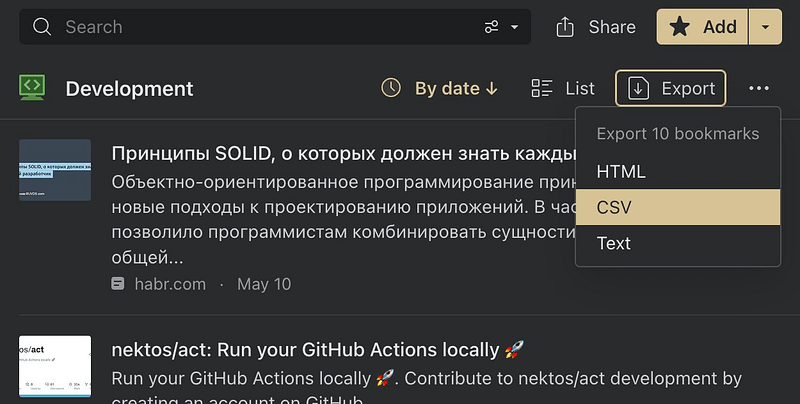
In just two clicks you can get a collection of bookmarks or search results in HTML, CSV, and text format.
Export collection
- Go to specific collection
- Click
Exportbutton - Select format you wish to download
Export search
- Start your search
- Click
Exportbutton - Select format you wish to download
Export some bookmarks
Start by highlighting the items that you want to export by hovering over the items and clicking the tick mark that appears in the top left corner. Then click Export button and select format you wish to download
Export all account data
Create a backup to download all account data